
Know your level
Start with an assessment that helps identify where you are and what to focus on next.

My Cart
Discount
Subtotal
Excl. tax
You are eligible for 0% installments with any of these banks:


Free fast delivery

Instant checkout

0% interest installment plans
CVSkills English learning
Start with a level assessment, follow a learning plan built around your goals, and practise speaking with a teacher. Try it for 7 days, with two live English lessons and online learning available 24/7.
What’s included
Build a routine with lessons matched to your current English level.
Start with an assessment that helps identify where you are and what to focus on next.
Follow a personalized learning path that adapts as your English improves.
Use your two included live English lessons to practise speaking and build confidence.
Practise online at a time and pace that fit your life, on mobile or computer.
A simple, guided start
Know what to expect before you add the trial.
Continue from this page to the trial activation journey.
Complete checkout details so we know where to send your code.
Look out for the CVSkills activation code on the number you provided.
Enter your code on the CVSkills redeem page, then explore your level and learning plan.
A clear first step
Explore your personalized learning experience and use two live English lessons during your trial.
One step after checkout
We’ll send your activation code by SMS. Redeem that code on the CVSkills page to start your 7-day access.
Before you continue
After checkout, we’ll send your activation code by SMS. To start learning, return to CVSkills and redeem the code on the CVSkills redeem page.
Ready for checkout
Choose where to go next. Add the trial package through Umniah eShop, then return after the SMS arrives to redeem your code.
Keep your momentum going
When your trial ends, continue learning with a plan that suits your goals.
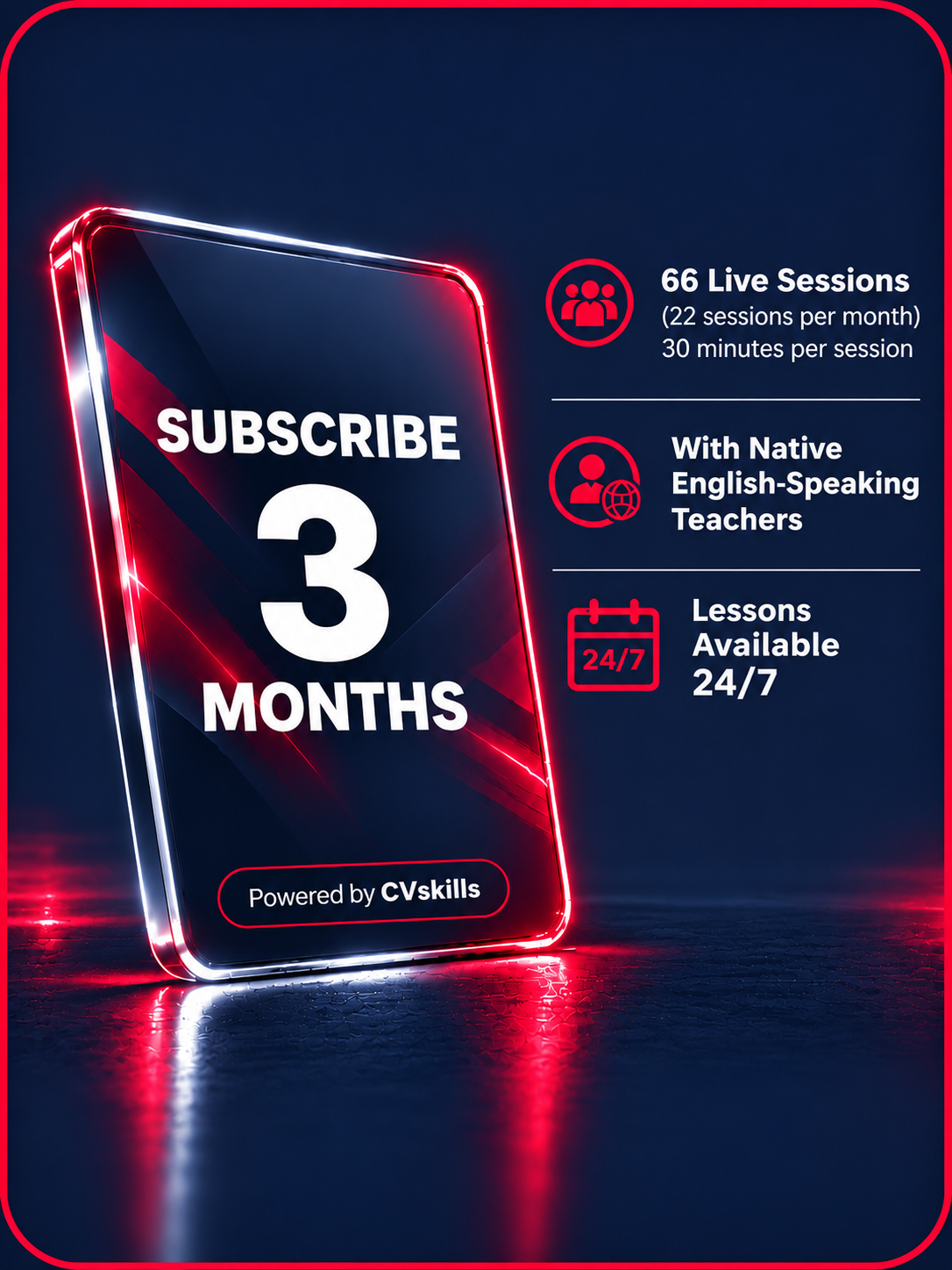
JOD 199 JOD 300
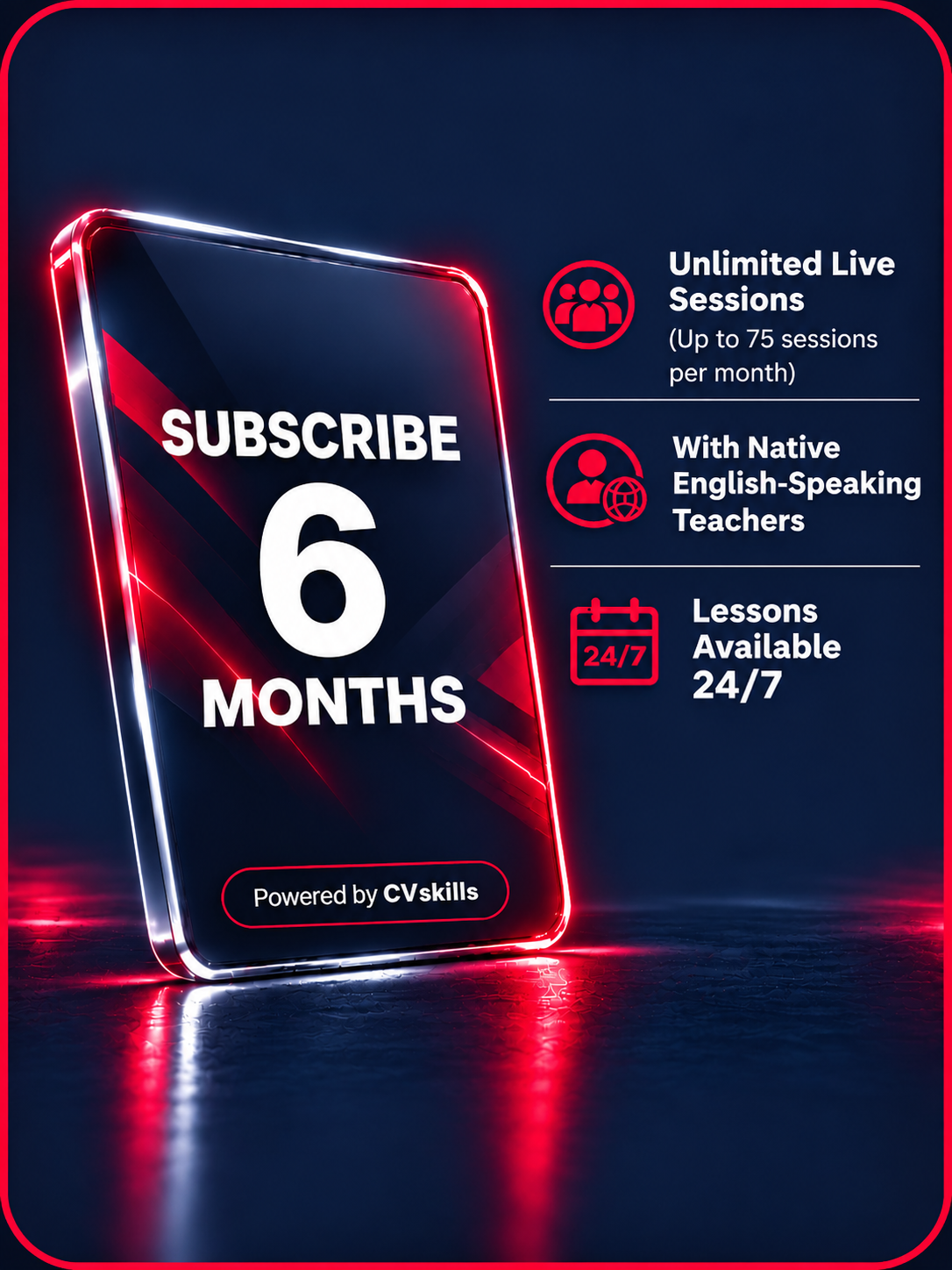
JOD 299 JOD 500
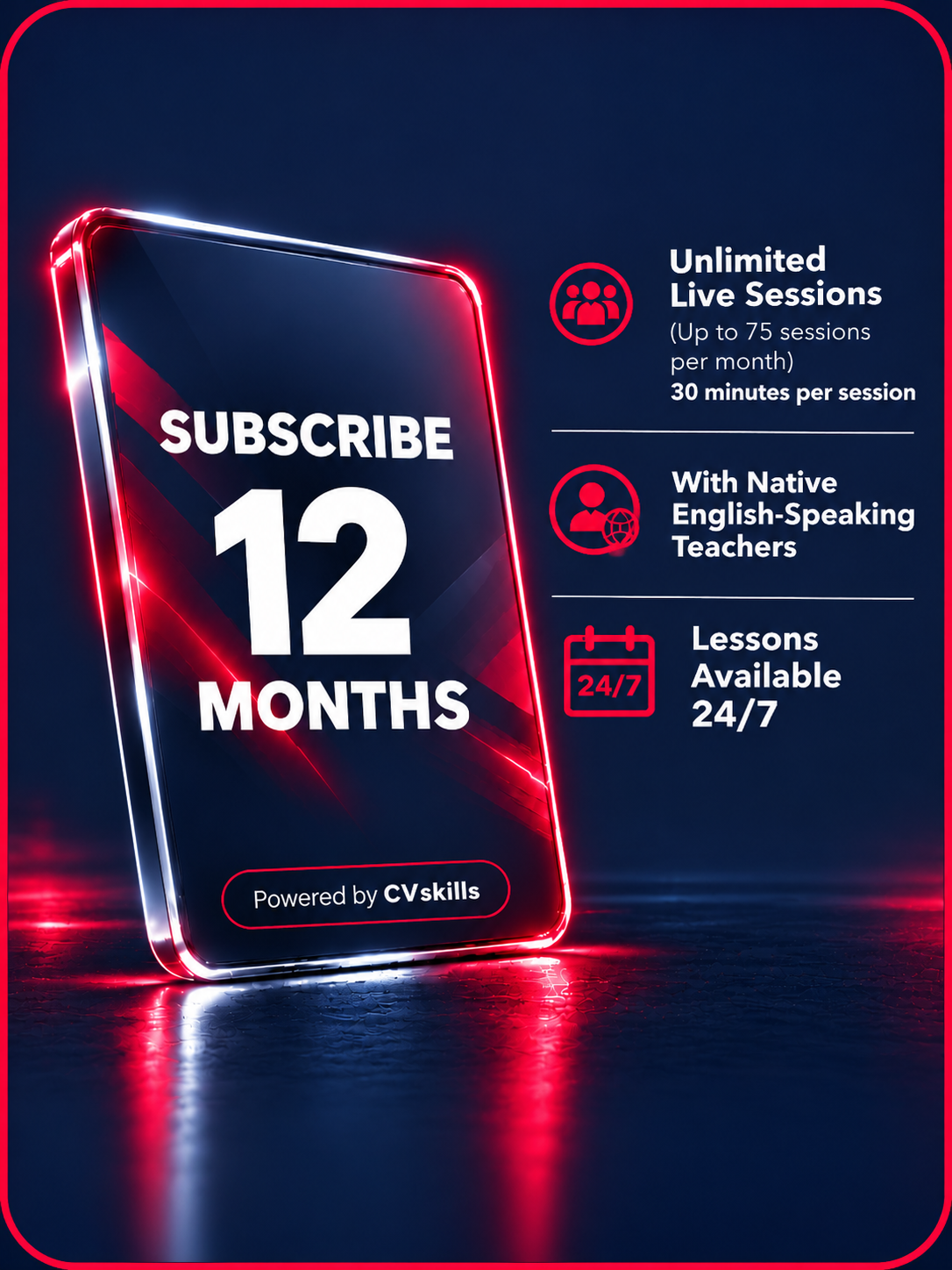
JOD 449 JOD 800
Your 3-month plan
After payment, you’ll receive your activation code. Open the Umniah CVSkills activation page and apply the code. Your subscription will be activated within 48 hours, and you’ll receive an update by email.
Your 6-month plan
After payment, you’ll receive your activation code. Open the Umniah CVSkills activation page and apply the code. Your subscription will be activated within 48 hours, and you’ll receive an update by email.
Your 12-month plan
After payment, you’ll receive your activation code. Open the Umniah CVSkills activation page and apply the code. Your subscription will be activated within 48 hours, and you’ll receive an update by email.
Need a little more detail?
Browse answers by topic, from getting your code to joining live lessons.
You get 7 days of CVSkills access, a level assessment and two live English lessons with a teacher.
Your trial starts when you successfully redeem the activation code. You can check the end date in your account.
Complete the eShop checkout with the mobile number where you want to receive the code. The code is sent after checkout.
Open the CVSkills trial redemption page, enter your code and follow the account setup steps.
Open the trial redeem pageChoose a 3-, 6- or 12-month plan to continue learning. Plans include live lessons with native English-speaking teachers, and lessons are available 24/7.
After checkout, use your code at the Umniah CVSkills activation page. Your subscription will be activated within 48 hours of applying the code, and you’ll receive an update by email.
Open the paid-plan activation pageThe 3-month plan includes 66 lessons total (22 per month). The 6- and 12-month plans include unlimited live lessons, up to 75 per month. Each live lesson is 30 minutes.
Choose a plan on this page and complete its checkout through Umniah eShop.
No. Bundle selection and payment are completed through Umniah eShop using its approved payment methods.
Check your SMS and email, then confirm the checkout used the correct contact details. For payment or order issues, contact Umniah call center on 1333 or 0788001333.
Don’t create another account or reuse the code. Contact CVSkills support with the code and the correct email address.
Open the code redemption or activation link, enter your code, and follow the on-screen account setup steps.
Go to the CVSkills sign-in page and use the email address and password you set up during activation.
Choose “Forgot your password?” on the sign-in page, enter your registered email, and follow the reset instructions.
Wait a few minutes and check your spam or junk folder. Confirm you entered the email registered to your account; if needed, contact CVSkills support.
No. Each account is for one learner because the level assessment, learning plan and progress are personalized.
Accounts generally can’t be merged. Use the same email address for your trial and paid plan so your learning history stays together. Contact CVSkills support if you need help.
Yes. Use the email address from your trial account to keep your level, progress and learning plan.
Open it in the latest version of Google Chrome, clear the browser cache, or try another device or network.
Yes. The assessment helps identify your current level so CVSkills can recommend suitable lessons and content.
Set aside around 45 minutes to complete it in one sitting without interruptions.
A laptop or desktop with the latest Google Chrome, a stable internet connection, and working headphones and microphone is recommended.
A computer is recommended. If using a phone, open the platform in Chrome and enable “Desktop site.”
Choose a quiet place, check your microphone and headphones, and answer as accurately as you can. If you don’t know an answer, choose “I don’t know.”
It’s best to finish in one sitting. Frequent interruptions may affect the assessment experience and result.
Your result appears in your account after you complete the assessment. You can review your level from your learning dashboard.
Refresh or sign out and back in. If the plan still doesn’t appear, contact CVSkills support with your account email.
A new assessment can help update your level and learning plan as your skills improve.
Start the recommended lessons in your plan, then book your included live lessons from the live lesson section.
Open the performance or progress area in your account to review activities, study time and skill development.
Yes. Open the lesson from your progress or lesson history and choose the option to practice it again.
It’s a place to review the words you’ve learned during lessons. You can find it from your account menu.
Yes. Your level assessment helps CVSkills recommend a starting point and lessons suited to your ability.
The trial includes two live English lessons with a teacher. Book them during the trial period.
After your assessment, open the live lessons area, choose an available time and confirm your booking.
Each live lesson is 30 minutes.
Open your profile settings and select your local time zone. Available lesson times will then display in your local time.
The “Join Now” option becomes available shortly before the scheduled lesson. Check your internet, microphone and speakers before joining.
Check that you completed the level assessment, selected your time zone and have an available lesson credit. Group lessons may have limited availability.
Usually one group lesson can be booked at a time. After attending or cancelling, you can book another available session.
You can cancel a group lesson before its scheduled start, subject to the cancellation window and available slots shown in your account.
Use a stable internet connection, an up-to-date Chrome browser, and a working microphone and headphones. Sit somewhere quiet.
Allow microphone access in your browser, select the correct microphone, and close other apps or tabs using it. Reload the lesson page.
Check browser permissions and device settings, close other apps using your camera or microphone, then reload the page.
Check your internet connection and try joining again. If the issue continues, contact CVSkills support through WhatsApp.
Refresh the page, use the latest Chrome, clear browser cache and cookies, or try another device or network.
Check your device volume, choose the correct output device, and make sure your browser tab isn’t muted. Try headphones or another browser tab.
Join on time, keep your microphone muted when you aren’t speaking, be respectful to your teacher and other learners, and use English where possible.
For payment, checkout, or order-code delivery issues, contact Umniah eShop support through eshop.umniah.com.
For account activation, learning platform, assessment or lesson issues, contact CVSkills support through its support channels.
Share your account email, a short description of the issue, your device and browser, and a screenshot or error message if available. Never send your password or payment card details.
Start today
Begin with 7 days trial and two live lessons. Your code will arrive by SMS after checkout.
Get your trial